· 2 min read
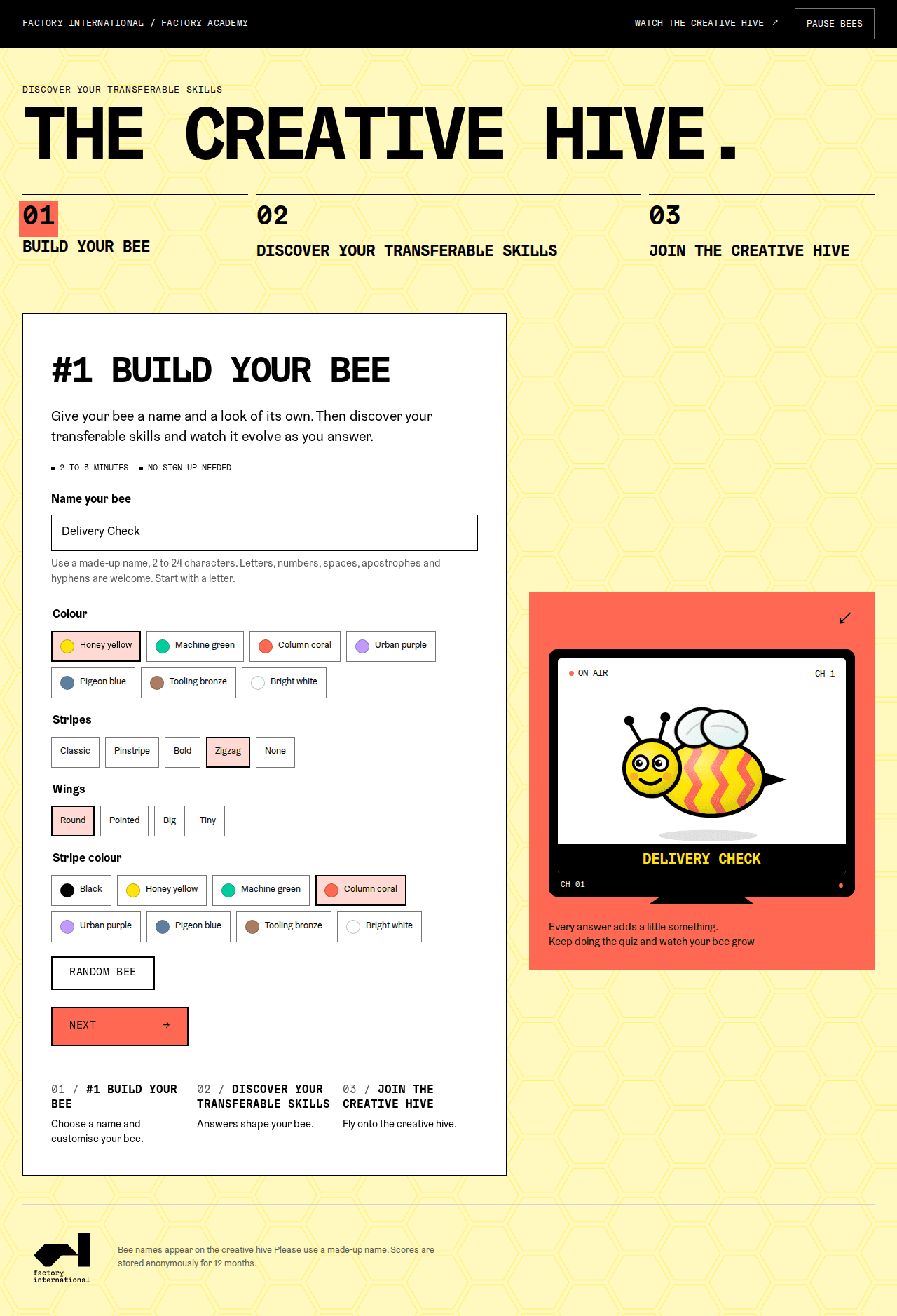
The latest BeeHive interface update is live in the demonstration. It focuses on the two ends of the activity: making a bee your own and deciding what to do after the quiz.
More choice in the bee builder
Stripe colour now has its own control, including a black option. Learners can change the stripe pattern and colour separately while watching their bee update in the television preview.
A clearer next step after the quiz
The results screen gives the choice to join The Creative Hive more prominence. The latest revision restores the honeycomb celebration and removes the repeated pathway description below the suggested result. Your next steps remains in place. Answer speech bubbles have also been removed from the quiz.
The home page and shared display no longer have Pause or Play Bees controls. Bees keep moving with the device's usual motion settings, while system reduced motion is still respected. The display checks for new bees every five seconds and shows the newest 150 learner bees, without a timed reset or automatic deletion of older bees.
These changes keep the fifteen-question creative careers activity and its existing learner progress intact.
The learning-platform handoff
The demonstration and rebuilt SCORM packages have passed the current browser and local learning-platform checks. Acceptance in the client's own course still needs the course import, a learner attempt and the resulting report to be checked there.
Craig's own Honeybee Hop recording remains the soundtrack.
The downloadable course now uses the same updated wording as the live 15-question quiz, with the same results and career pathways.
Read the BeeHive project page for the full activity, or open the demonstration.